
For schools, colleges and universities
Room displays for schools, on the calendar you already run.
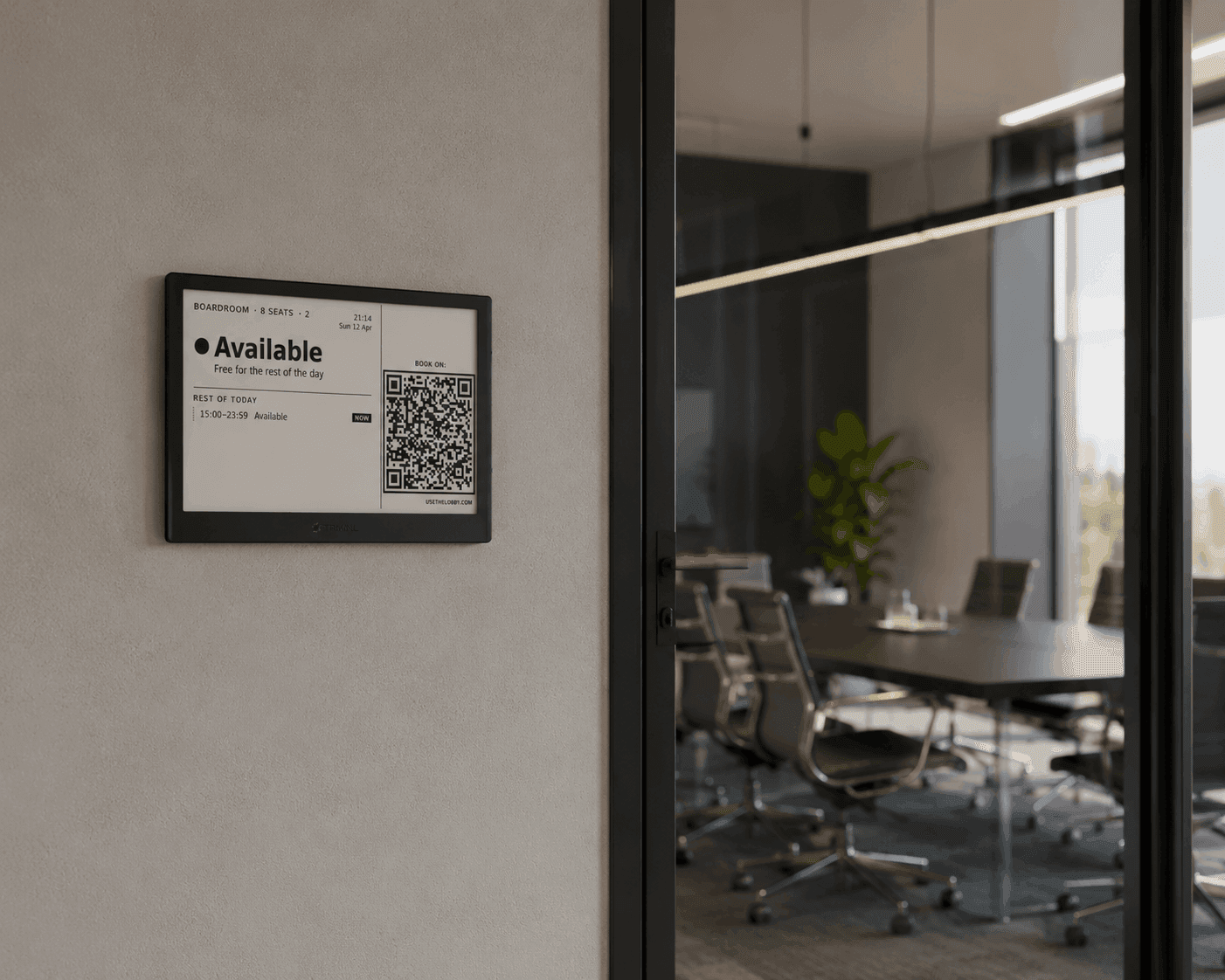
A screen outside the staff room, the library study rooms and the hall, showing free or busy from Google Workspace or Microsoft 365. No new booking system for staff to learn.
Free up to 3 displays · No credit card needed · 10-min setup
Where it fits
The rooms people actually book
Most schools already book some rooms in Google Calendar or Outlook. Those are the rooms where a screen by the door stops the knock-and-check.
Staff and meeting rooms
Department meetings, parent meetings, governors and interviews. These behave like any office meeting room, so they are the easiest place to start.
Shared spaces
The hall, library study rooms, music practice rooms, the makerspace and the sports hall. Booked by many people, argued over by most of them.
One board for the front office
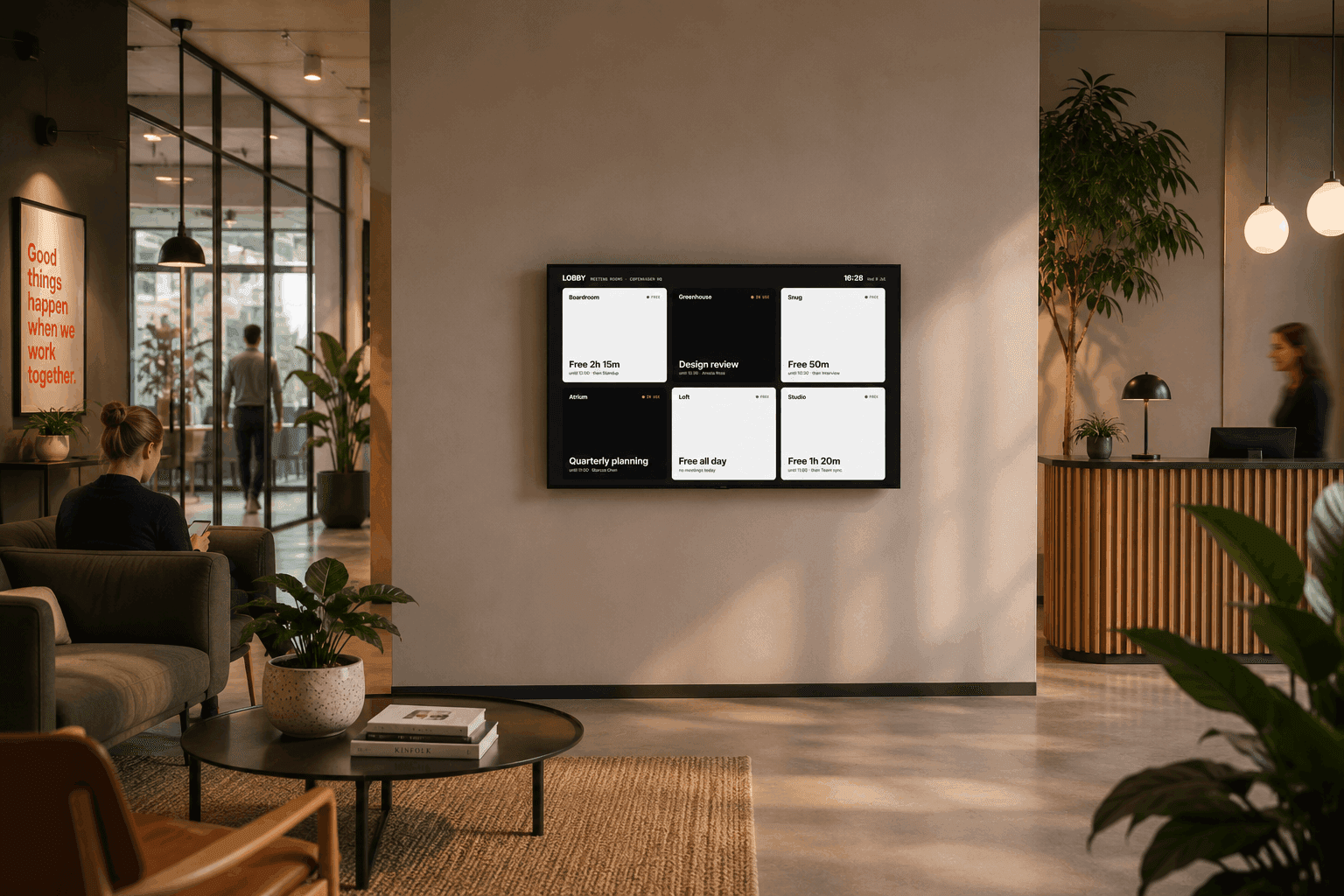
Every bookable room on one TV in the staff room or reception, free rooms light and busy rooms dark. A board counts as one display.
Check this first
Calendars yes, timetables only if they reach one
Lobby reads room calendars in Google Workspace or Microsoft 365. It does not read timetabling or MIS systems directly.
If your timetabling tool publishes lessons into room resources or room mailboxes, every classroom works. If it does not, the screens cover the rooms people book in the calendar, and teaching rooms stay on the printed timetable.
Ask your timetabling vendor one question: can it publish lessons into room calendars? If the answer is yes, start there. If it is no, start with the staff rooms.
| Room | Usually booked in | Works with Lobby |
|---|---|---|
| Staff meeting rooms | Google Calendar or Outlook | Yes |
| Hall, library, shared spaces | Google Calendar or Outlook | Yes |
| Classrooms | Timetabling system | If it publishes to room calendars |
| Study rooms with their own booking app | Library booking system | If it syncs to room calendars |
Privacy
Corridors full of students need quieter screens
A meeting title on a corridor screen is read by hundreds of people a day. Lobby lets you decide, room by room, how much a screen says.
Hide titles and names per room
Show Busy instead of the meeting title, drop the organiser name, or both. Use it for counselling, pastoral and interview rooms. The change shows on the next refresh.
Read-only calendar access
Lobby reads room calendars and never writes to them, or to anyone's personal calendar. Bookings still happen in Google Calendar or Outlook.
EU-hosted on every plan
Data is hosted in the EU on every plan, free included. Data handling is documented on the security page.
The school day
Asleep in the holidays, awake for first period
School buildings are empty for weeks at a time. The screens can be too.
- E-ink panels sleep outside the hours and days you set, and can show your own message meanwhile.
- Months of battery per charge, so no new power runs through listed or older buildings.
- Wi-Fi with outbound HTTPS only, which fits locked-down school networks.
- Screens in 10 languages, with your own wording for any phrase.
- Any tablet, TV or old laptop with a browser can be a display too.
Pricing
One flat price, never per room or per student
School budgets are set a year ahead. Lobby costs the same whether you show three rooms or the whole campus, and the price list is public.
Free
$0
Up to 3 displays. Enough to pilot the staff room, the hall and a board in reception.
Start freeUnlimited
$30/month
Every room and screen on site for one flat rate. Unlimited displays and boards.
Go unlimitedPro Unlimited
$60/month
Everything in Unlimited, plus custom templates, your school logo, room feedback and 5-minute e-ink refresh.
Get started free →Prices are billed yearly. E-ink panels cost from $69 each, bought direct from the manufacturer and owned outright. Monthly rates and full plan detail on pricing.
Setup
Live before the next staff meeting. No IT project.
Connect the school calendar
Sign in with Google Workspace or Microsoft 365 and grant read-only access to room calendars.
Pick rooms and set privacy
Choose the rooms, name them the way staff say them, and hide titles where a room needs discretion.
Put it on a screen
Pair an e-ink panel over Wi-Fi, or open the display URL on a tablet or TV you already have.
Questions schools ask
Yes. Lobby reads room resources from Google Workspace, including Education editions, with read-only calendar access. Microsoft 365 for education works the same way, through room mailboxes.
Only if the timetable reaches Google Workspace or Microsoft 365 as room calendars. Lobby does not read timetabling or MIS systems directly. Many schools start with the rooms that are already booked in the calendar: staff meeting rooms, the library, the hall and shared spaces.
Yes, per room. You can show Busy instead of the meeting title, drop the organiser name, or both. Use it for counselling, interview and pastoral rooms, and leave detail on for rooms where it helps.
Not the e-ink panels. They run on a rechargeable battery for months and connect over Wi-Fi with outbound HTTPS only, so you can mount them on old buildings without new power runs. Tablets and TVs need mains power and a browser.
E-ink panels can sleep outside the hours and days you set, so they stop polling at night, at weekends and in the holidays, and can show your own message while they sleep. Virtual displays on tablets and TVs keep showing the live calendar.
No. Schools pay the same published price as everyone else: free for up to 3 displays, then $30 a month billed yearly for unlimited displays, or $60 for Pro Unlimited. You are never billed per room or per student.
Yes. Screens ship in 10 languages, including English, Spanish, French, German and Portuguese, and you can reword individual phrases. This is on every plan.
More on displays in general on the meeting room display page, or read the full FAQ.
Fewer knocks on the staff room door.
Three displays free. Ten minutes to live. Try it on the rooms you already book.
Get started free →