
A live status screen outside every room.
Mount a small screen by each meeting room door. Room name, free or busy, who's in there now, what's next. Updated the instant the calendar changes. Pick the screen that fits your office.
No credit card · 3 displays free forever · 10-min setup
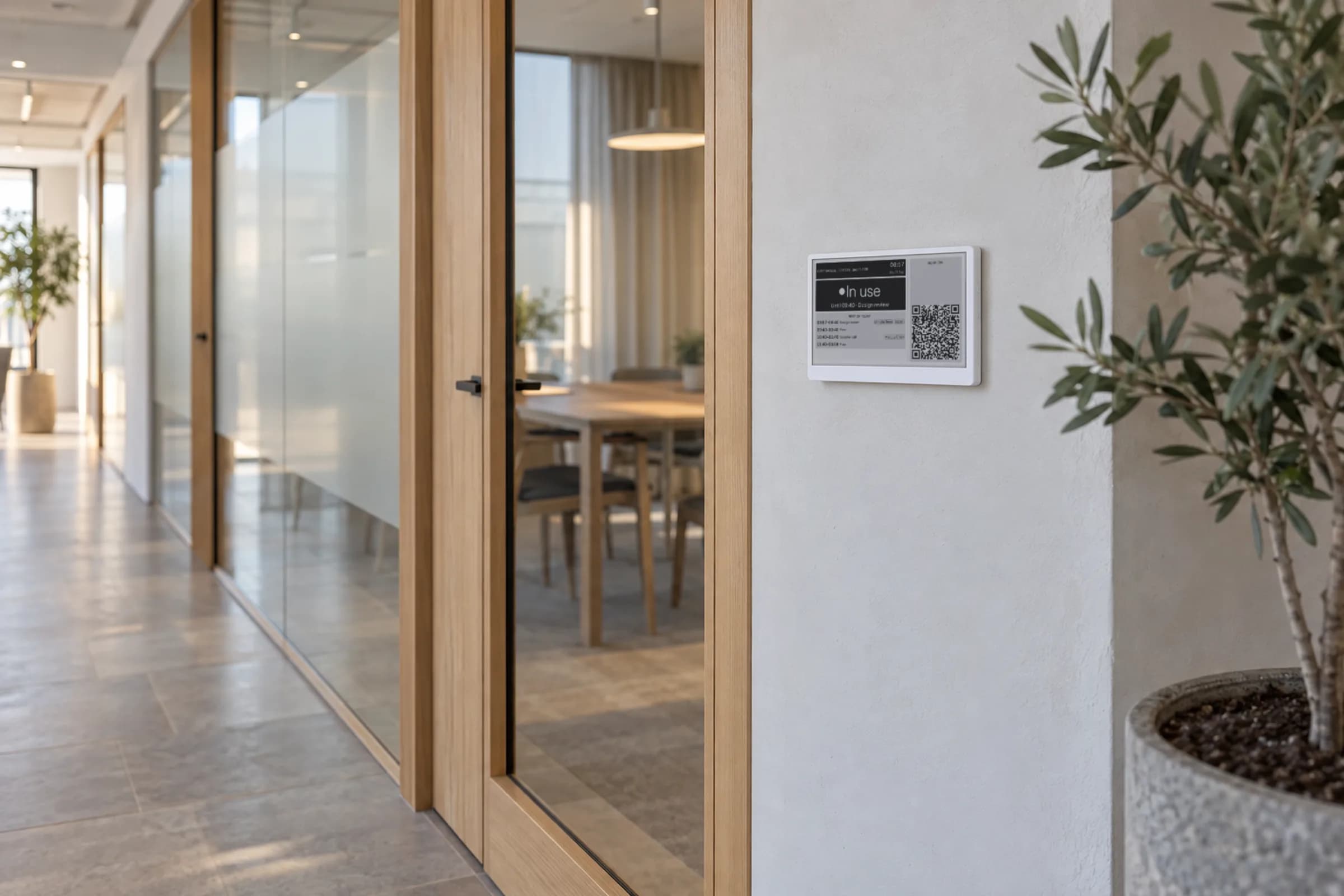
A live status screen outside every room.
Mount a small screen by each meeting room door. It shows the room name, whether it’s free or booked, who’s in there now, and what’s coming up next. It updates the instant someone changes the calendar. No tap-to-refresh, no “syncing…” spinner. Pick the screen that fits your office. For the full meeting room display guide, see the overview.
Runs on
7.5" e-ink display (Seeed reTerminal E1001 or TRMNL)
Purpose-built, battery-powered, paper-like. Months per charge. Readable in direct sun. No-drill magnetic mounting, no cabling. Buy it direct from the manufacturer. We never mark it up.
Any browser, any screen
If it can load a webpage, it can be a Lobby display. Open the secure display URL from your dashboard on an iPad, an Android tablet, a smart TV, an old laptop, a touchscreen kiosk, even a spare phone. No pairing code. No shipping. No mount. Virtual displays count toward your plan the same way physical ones do, up to 3 free forever.
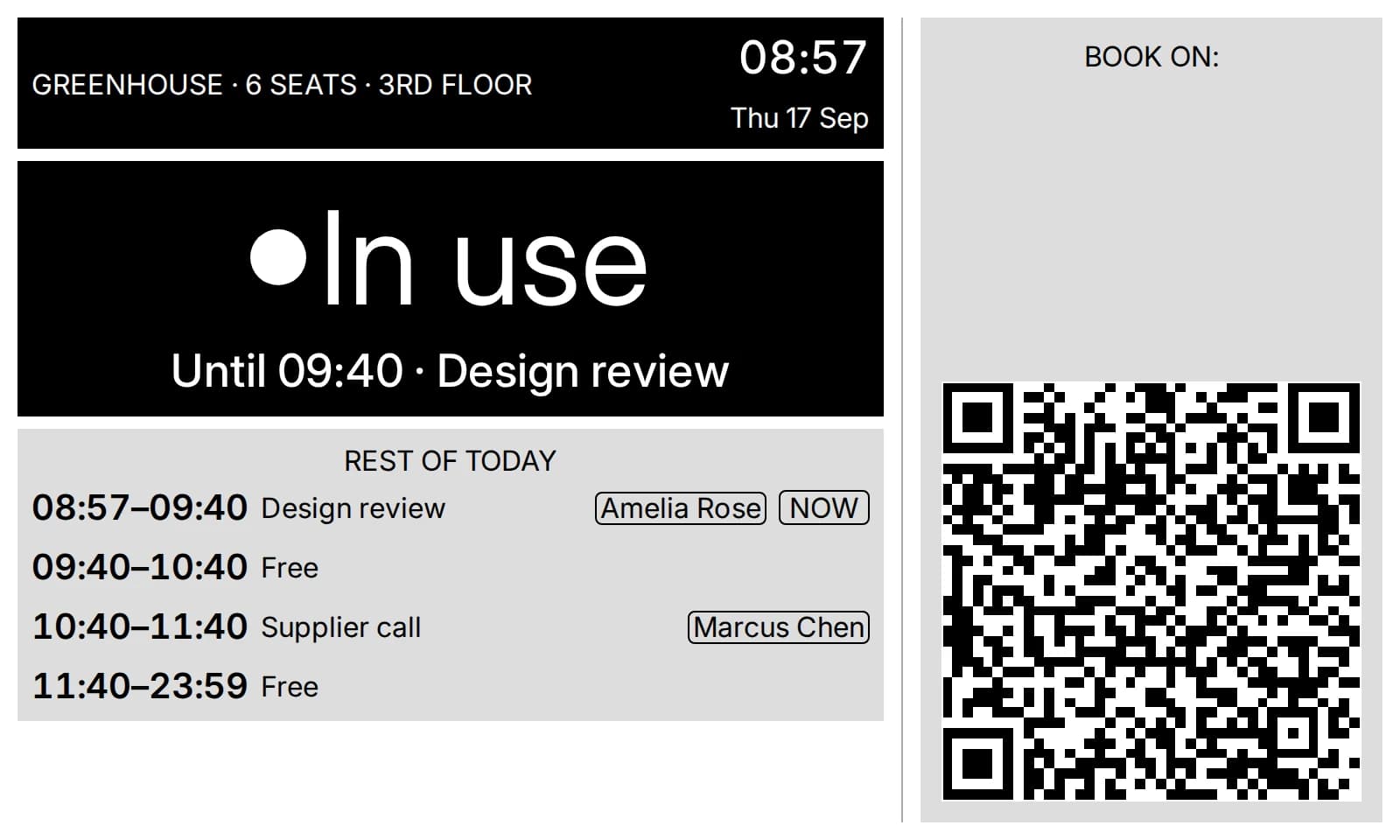
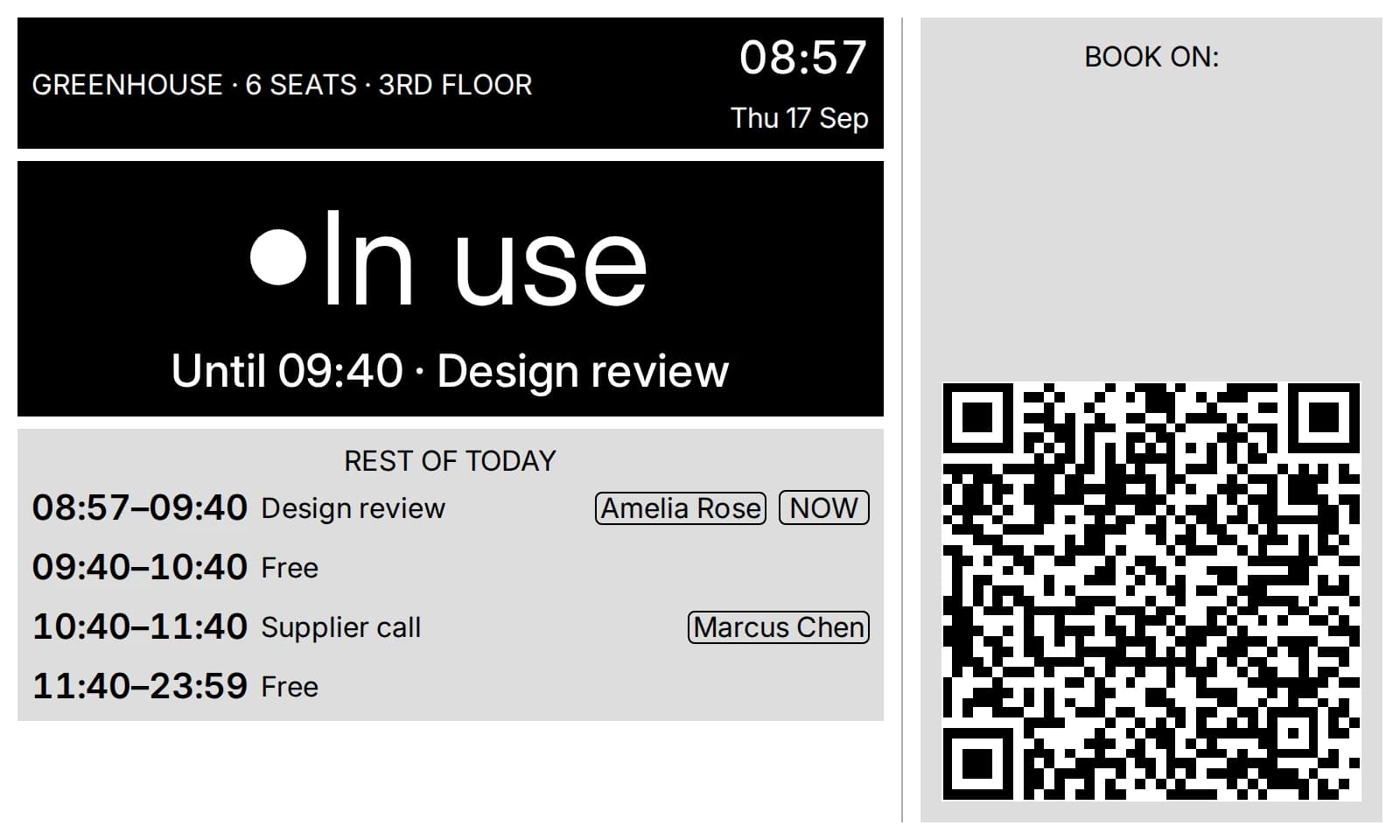
Everything you’d stop to ask, answered from across the corridor.
- 1Room name and capacity
- 2Free or In use, in type you can read from 5 metres
- 3Until when, and who has it now
- 4The rest of today’s bookings
- 5QR code to book from your phone (optional per room). How QR booking works
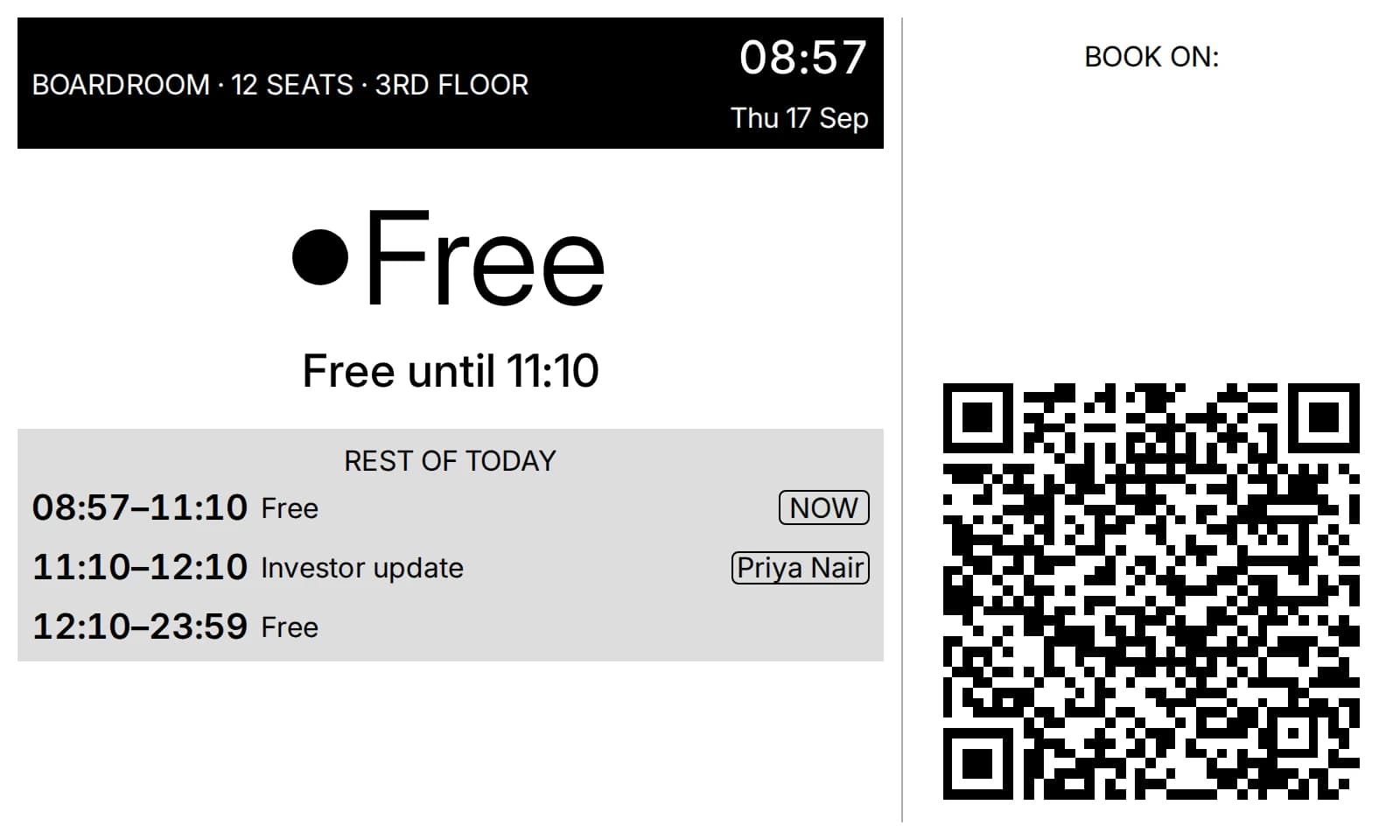
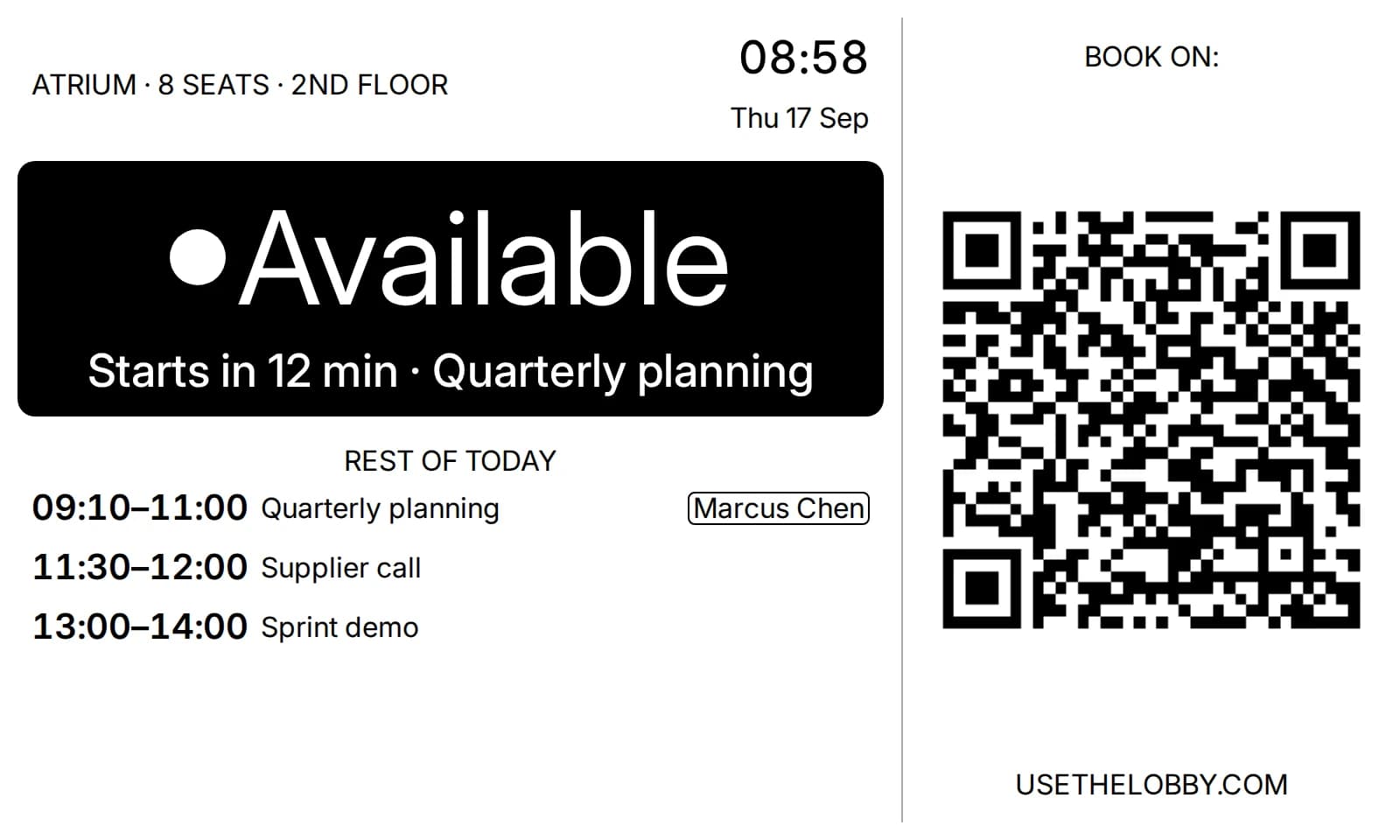
Available, Starting soon or In use.
Starting soon appears when the next meeting is less than 30 minutes away, so nobody settles into a room that is about to be taken.
Ten minutes from now, your team will know which room is free.
Free forever for up to 3 displays. Works with your existing Google Workspace or Microsoft 365 calendar. No credit card, no sales call, no IT project.
Get started free →Free forever up to 3 displays · No credit card · Cancel anytime